The scoreboard for every game night.
Leaderboard is the score keeper that does the math for you. Add your players, enter points round by round and watch the live leaderboard rank everyone as you play. Ready-made scoring for UNO, Golf, Dice 13, Skyjo, Farkle and Darts 501, or a standard points tracker for any game with your own rules.


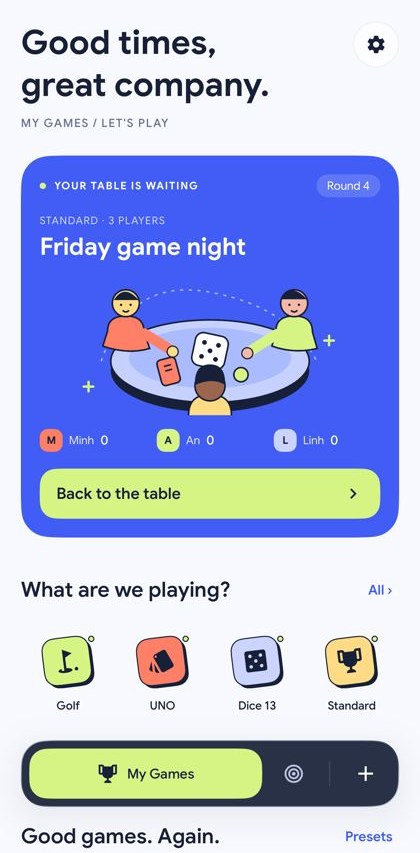

A score keeper that keeps up with the table.
Set up a game in seconds, score as you play and let the leaderboard app handle the ranks.
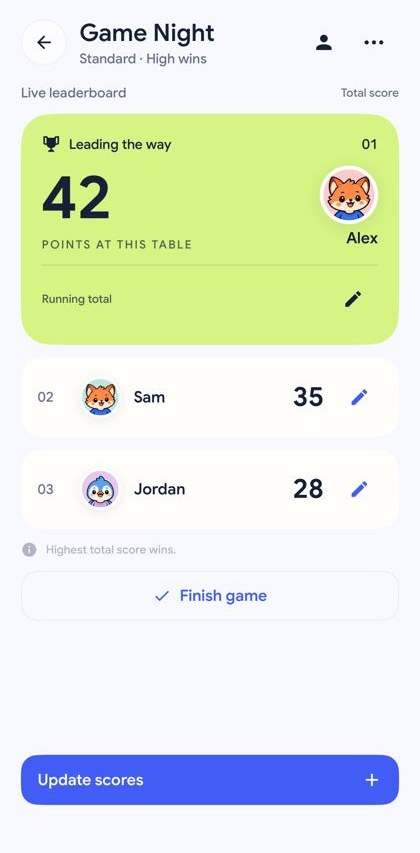
Live leaderboard, ranked as you score
Every score updates the standings straight away. Play highest-wins or lowest-wins, as a running total or round by round, and correct any score later.
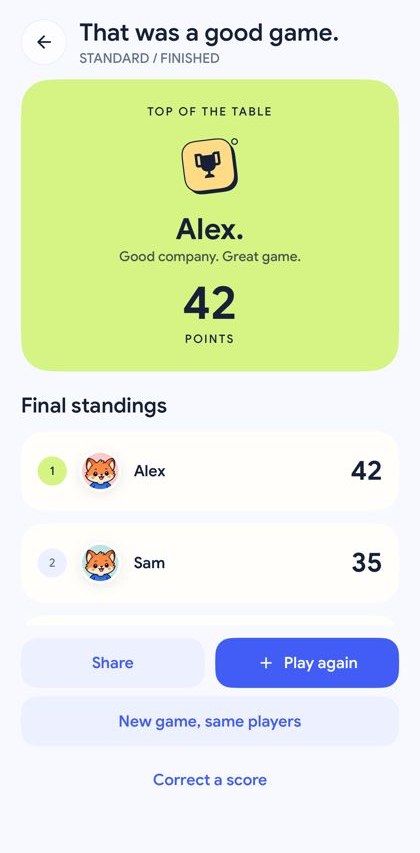
Finish, share, play again
See the final standings, share a results card to the group chat, then start a rematch or a new game with the same players in one tap.
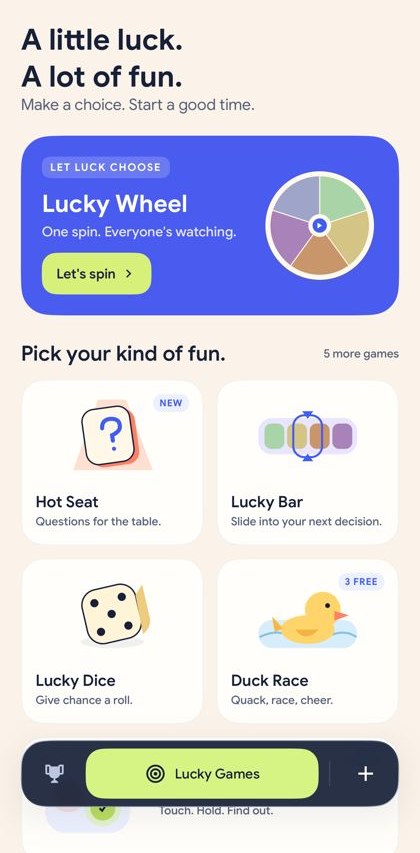
Lucky Games for quick decisions
Lucky Wheel, Lucky Bar, Lucky Dice, Finger Picker, Duck Race and Hot Seat. Pick who goes first, settle a tie or warm up the table.
Everything a points tracker needs
From a family card game to a weekend tournament tracker, Leaderboard keeps the scoreboard fair and the game moving.
Game library and presets
Start from Golf (net, gross or Stableford), UNO, Dice 13, Skyjo, Farkle or Darts 501, or a Standard game with your own rules.
Saved players and avatars
Save your regulars once with a photo or a fun avatar, then bring them to any new table.
Undo in one tap
Saved the wrong score? An Undo bar appears after every save, and round history lets you fix any round later.
Board themes and seasonal looks
Simple, Minimalistic, Curved, Boxy and Compact boards, plus seasonal looks like Halloween Night with PRO.
Made for iPad and tablets
On a tablet the scoreboard and its details sit side by side, so the whole table can follow along.
Free to start, PRO when you want more
Unlimited boards and players, every game template and theme, dark mode and no ads with Leaderboard PRO.
Get in touch
Questions, a bug, or an idea for a new game? Email us at [email protected].
Frequently asked questions
Anything else? Email us.
- Is the Leaderboard scoreboard app free?
- Yes. The free version keeps score for up to 2 boards with up to 4 players each, with ads. All six Lucky Games are playable; Duck Race and Finger Picker are capped at 3 ducks or 3 fingers on the free version.
- What does Leaderboard PRO unlock?
- Unlimited boards and players, no ads, every game template (including Golf), round-by-round and lowest-wins scoring, every board theme, dark mode, seasonal looks such as Halloween Night, and full Duck Race and Finger Picker tables. PRO is a subscription or a one-time lifetime purchase; plans and prices in your currency are shown in the app before you buy.
- Which games can I keep score for?
- Any game with players and points. Ready-made scoring covers Golf, UNO, Dice 13 (a classic 13-box dice scorecard), Skyjo, Farkle and Darts 501. For everything else, from board games and card games to backyard sports or a tournament tracker, use a Standard game with your own rules.
- Does the score keeper work offline?
- Yes. Your boards, scores and saved players are stored on your device, so you can keep score without a connection. The internet is only needed for things like ads, purchases and sending feedback.
- Which devices and languages are supported?
- Leaderboard runs on iPhone and iPad from the App Store and on Android phones and tablets from Google Play. The app is available in English and Portuguese.
- I bought PRO on another phone. How do I get it back?
- Open Settings in the app and tap Restore Purchases while signed in to the same Apple ID or Google account you bought it with.
- How do I cancel a subscription?
- On iPhone or iPad, open Settings, tap your name, then Subscriptions. On Android, open Google Play, tap your profile, then Payments & subscriptions. Cancelling stops the next renewal; PRO stays on until the end of the current period.
- What happens to my data?
- Games and players stay on your device and there is no account to create. Read the Privacy Policy for the full details on ads, analytics and purchases.